Write Markdown.
See the page as you type.
MacMarkdown keeps your text and the rendered page side by side and scrolls them together. When the document is ready, export it to HTML, PDF or Word.
Free · macOS 14 or later · Apple silicon

Live preview
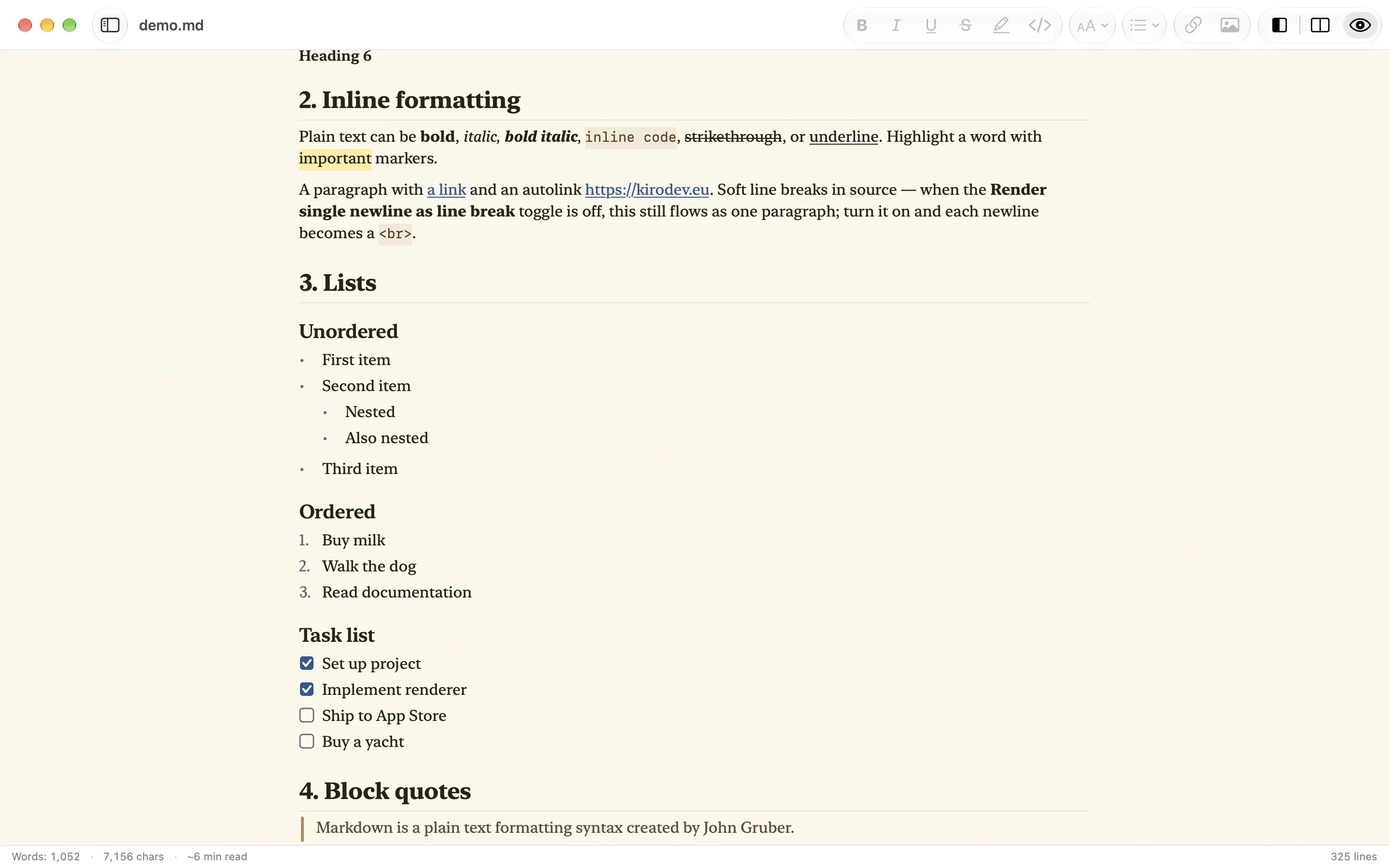
The preview redraws as you type. Scroll either pane and the other one keeps up.
Outline
Press ⌃⌘T to list every heading, and click one to jump to it.
Native text views
The editor and the preview are AppKit text views. There is no web view, and the preview runs no JavaScript.
## Code
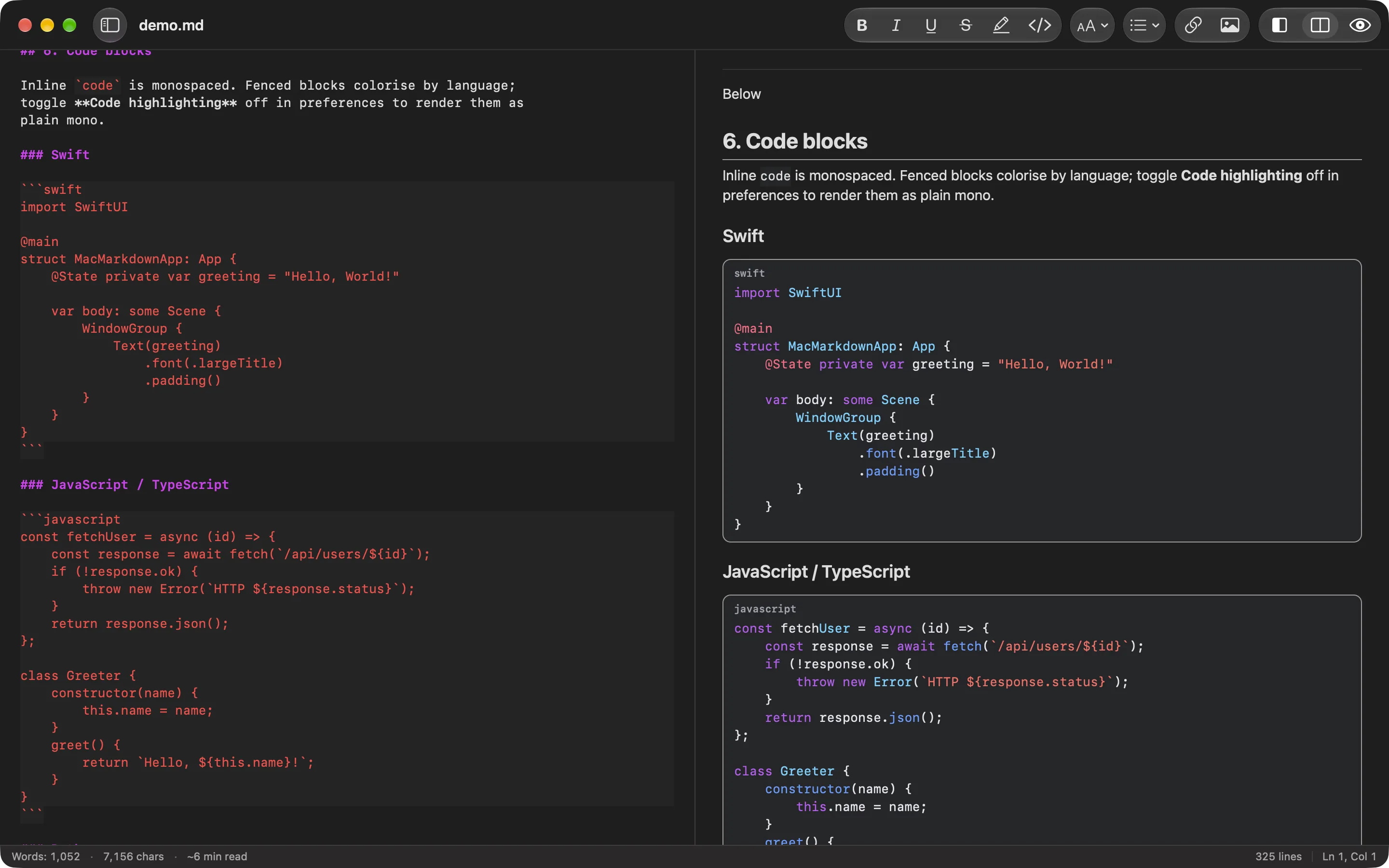
Code blocks in color
The preview colors any block whose opening fence names a language. MacMarkdown knows Swift, JavaScript, TypeScript, Python, JSON, HTML, CSS, Bash and Markdown. Hover over a block and click Copy to copy its source.
Pick one of five code palettes, and turn line numbers and language tags on or off in Settings.
## Math
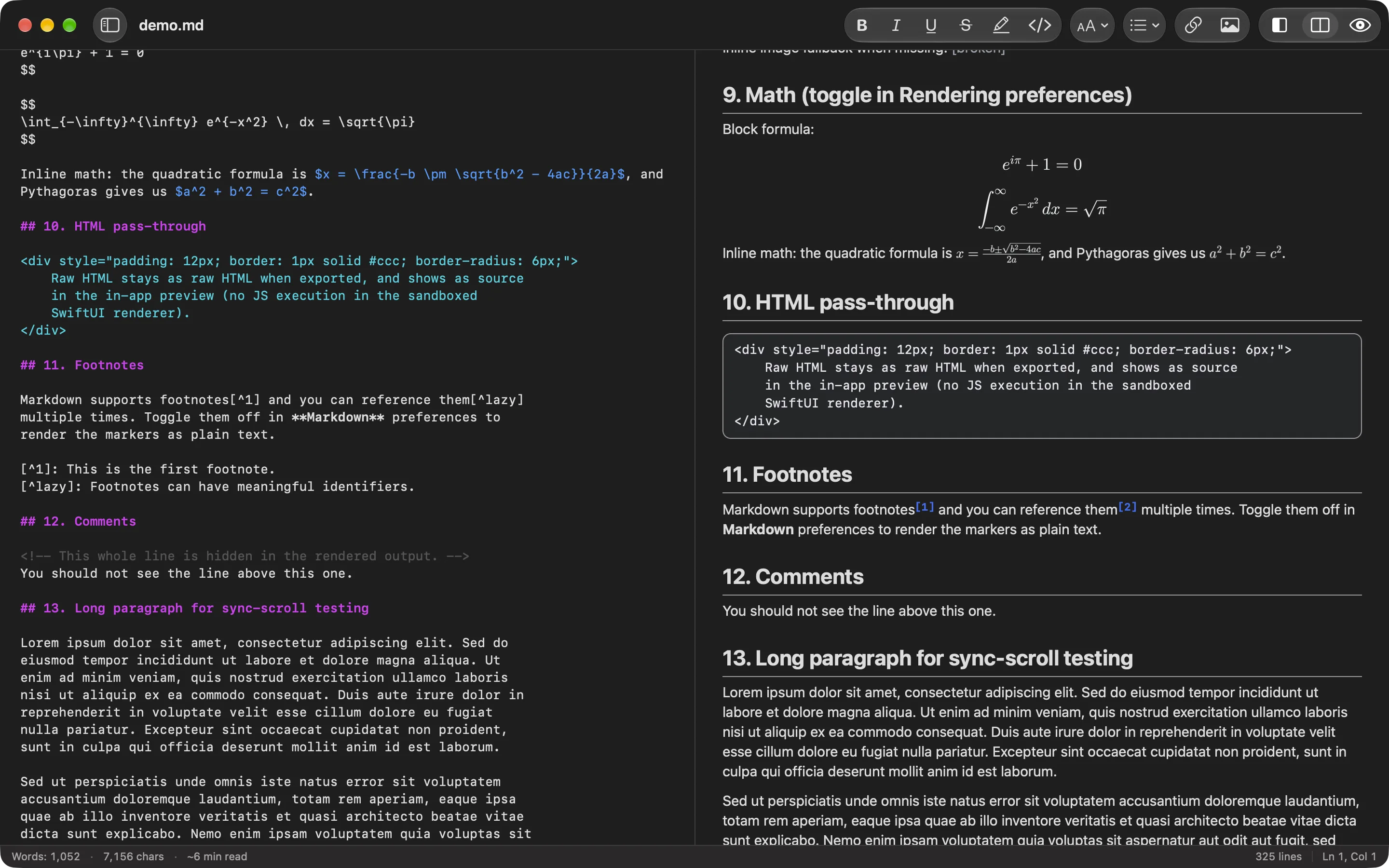
Formulas, tables and footnotes
Write LaTeX between dollar signs, single for inline and double for a display equation, and MacMarkdown typesets it. Tables keep their left, center and right alignment. Footnotes are numbered in order of appearance and collected at the end of the document, and YAML front matter appears as a table at the top.
## Themes
A look for writing and a look for reading
The editor has five themes: Default, GitHub, Solarized, Dracula and Nord. The preview has four: Modern, GitHub, Monospaced and the serif Manuscript. Every theme comes in a light and a dark version, and the window can follow the system appearance or stay light or dark.
Hide the editor with ⌥⌘E when you only want to read.
## Editor
The editor knows Markdown
Lists continue
Return at the end of an item adds the next marker, and numbered lists count up. Return on an empty item ends the list.
Pairs close themselves
Typing a bracket, quote or backtick inserts its partner. Delete inside an empty pair removes both.
Keyboard formatting
⌘B for bold, ⌘I for italic, ⌘K for a link, ⌥⌘1 to ⌥⌘6 for headings.
Checkboxes you can click
Checkboxes in the preview toggle
[ ]and[x]in the source.Images by drag and drop
Drop an image from Finder into the editor to insert the Markdown for it.
Open from Terminal
After you install the launcher from Settings ▸ Terminal, run
macmarkdown README.md, or pipe text in withcat notes.md | macmarkdown.
## Export
Export to HTML, PDF and Word
HTML
⇧⌘EOne HTML file with its stylesheet inside.
PDF
⇧⌘PSplit into pages and drawn by the same renderer as the preview.
Word
⇧⌘DA DOCX file with your headings, lists, tables, code, images, footnotes and formulas.
You can also print the preview with ⌘P, or copy the document as HTML with ⌥⇧⌘C.
## FAQ
Questions
- Is MacMarkdown free?
- Yes. You can download it from the Mac App Store at no cost.
- Which Macs does it run on?
- Macs with Apple silicon running macOS 14 Sonoma or later.
- Where are my documents kept?
- Wherever you save them. MacMarkdown works with plain Markdown and text files and saves them as UTF-8. It also opens UTF-16 files with a byte order mark and common older encodings. You do not need an account.
- Does MacMarkdown collect any data?
- No. The app has no analytics and no tracking. It goes online only to load images that a document links to on the web, and you can turn that off with Load images from the web in Settings ▸ Rendering.
- Why is an image next to my file missing from the preview?
- The app runs in the macOS sandbox and can only read files and folders you give it access to. Click Allow Access in the preview and choose the folder. MacMarkdown remembers your choice.
- How do I open files from Terminal?
- Copy the command from Settings ▸ Terminal and run it in Terminal to install the
macmarkdownlauncher. After that,macmarkdown README.mdopens a file.